Native on Windows + macOS · Preview release
Precision tools.
Zero friction.
RustyNote is a professional desktop editor for people who work in text all day.
Multi-file workflows, deep search, split views, syntax intelligence, and extensible
tools—delivered as a fully native Windows and macOS application.
Windows + macOS
Closed alpha testing
Public downloads paused
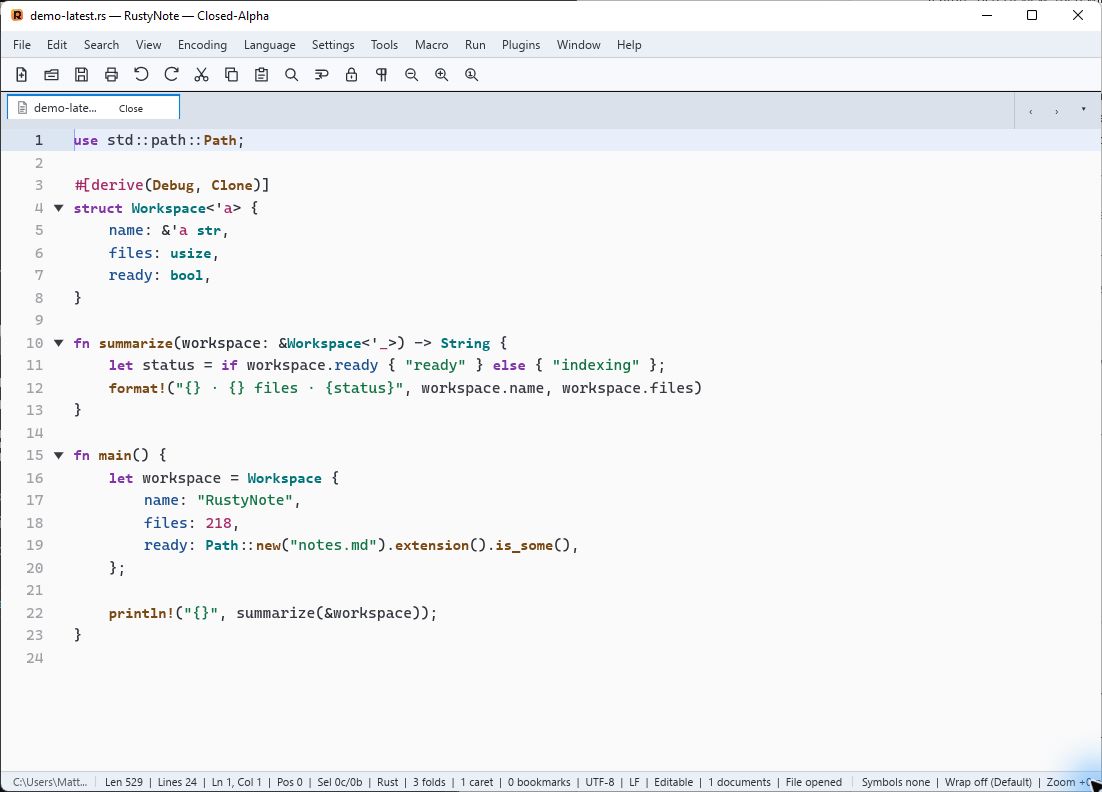
workspace.rs — RustyNote
α218
⌘
Keyboard firstCustom shortcuts + macros
✓
Built for big workRope-backed text engine
Native Windows✦Native macOS✦Powerful search✦
Light + dark themes✦Workspace ready✦Commercially licensed✦
Multi-file✦Split views✦Powerful search✦
The editor, fully loaded
Everything between
thought and file.
RustyNote keeps the familiar immediacy of a desktop text editor, then layers in the
tools that serious work demands. Each feature is designed to stay close to the text.
01
Work your way
One document.
More than one view.
Move or clone tabs into independent split groups. Edits stay synchronized while
each pane keeps its own caret, selection, focus, and scroll position.
Side by sideStackedDrag to resize
02
Syntax intelligence
Code stays legible.
Tree-sitter highlighting, fold regions, brace matching, symbols, and completion for everyday languages.
fn render(ready: bool) {
// structure, at a glance
if ready {
println!("fast"
);
}
}
03
Find the needle
Search without losing your place.
Find, replace, mark, and search across open tabs, folders, or project panels—with
regex modes, cancellable background work, and navigable results.
⌕connection_timeout3 results
api/config.rs24:12
src/client.rs108:4
tests/retry.rs61:8
04
Your workspace
Projects stay within reach.
Open multiple workspace roots, quick-open indexed files, watch folders for changes,
and keep document, function, project, and map panels docked where they help.
⌄ rustynote
⌄ crates
◇ rustynote-core
◇ rustynote-plugin-sdk
⌄ apps
◇ rustynote
05
Extend the editor
Small core. Wide horizon.
A capability-scoped WebAssembly plugin model adds commands, menus, panels, syntax,
completion, and editor actions while keeping the host in control.
{ } JSON tools
</> XML tools
Abc Spellcheck
↔ Compare & diff
MD Markdown preview
⌁ Remote SFTP
Built for desktop
Fast by design.
RustyNote is a ground-up Rust application: a fully native, GPU-rendered interface on
Windows and macOS, a
rope-backed document core, and background workers that keep expensive jobs away
from the editing surface. The result is responsive, local-first software made for
long working sessions.
See professional features ↑
01Native interfaceFloem · GPU rendered · platform dialogs
02Editing engineRopes · multi-caret · undo · encodings
03Background intelligenceTree-sitter · indexing · search · recovery
04Plugin boundaryWebAssembly · scoped capabilities · portable SDK
Closed alpha
Native builds.
Limited access.
RustyNote is being tested privately on Windows and macOS. Public downloads are paused
while the closed alpha group validates stability, platform integration, and workflows.
Access is currently limited to invited alpha testers. Public installers and checksums
will return when RustyNote is ready for a broader preview.
Straightforward commercial licensing
Try it first.
License it to stay.
RustyNote will include a free, time-limited evaluation period. You can use the full
application to decide whether it fits your workflow. Continued use after that period
will require purchasing and activating a RustyNote license.
The evaluation length, final price, and available license options have not yet been
determined. Complete terms will be published before the paid release.
Closed alpha testing in progress
Evaluation periodIncludedLength to be announced
Continued useLicense requiredActivate after evaluation
License priceTo be announcedPublished before paid release
R
Professional editing without the guesswork
Try it fully.
Decide clearly.
Follow the product tour while invited testers help prepare RustyNote for a broader preview.
See the latest build ↑